

Static Application
Security Testing
Analyze your source code for security vulnerabilities before they reach production. Review findings from enabled source analyzers, inspect the available evidence and use practical remediation guidance to test a fix. Optional AI assistance has separate configuration.
Last updated: October 2026 · Free for open-source projects →
Start with a plan you can validate
Choose your deployment and evaluation priority, then download a checklist for source coverage, safe controls, finding evidence and remediation.
Build your free evaluation plan →Assess the artifact you ship
Complement source review with Docker/OCI image archive, SBOM and Kubernetes manifest assessment in the cloud demo. Each input has its own scope and evidence.
Explore container security →How Offensive360 SAST works
Parse & model your code
The configured language analyzers inspect supported source files. Check the scan summary for skipped files, parser failures and completed analyzers.
Analyze code paths
Supported checks identify risky uses of input at queries, file operations, templates and process calls. The evidence available depends on the analyzer and rule.
Apply security rules
Review security rules and weakness classifications applicable to your project, then validate each finding against its input, permissions and framework context.
AI-enhanced detection
Optional AI review can assist investigation. Confirm the provider, data handling and network requirements for your deployment, and verify the resulting suggestions.
{
  "finding": {
    "type": "SQL Injection",
    "severity": "Critical",
    "cwe": "CWE-89",
    "file": "UserController.cs",
    "line": 42,
    "source": "Request.Query[\"id\"]",
    "sink": "SqlCommand.Execute()",
    "dataFlow": [
      "Request.Query → userId",
      "userId → query string concat",
      "query → SqlCommand.CommandText",
      "SqlCommand.Execute()"
    ],
    "fix": "Use parameterized queries"
  }
}
Supported languages & frameworks
Choose a source-language family, then confirm the rules, frameworks and file preparation for your release.
Language support and analysis scope · Secure coding examples by language
Deep dives by ecosystem: SAST for Java and Spring · SAST for C# and .NET
Built for security teams
A clean, actionable interface that helps your team prioritize and fix vulnerabilities fast.
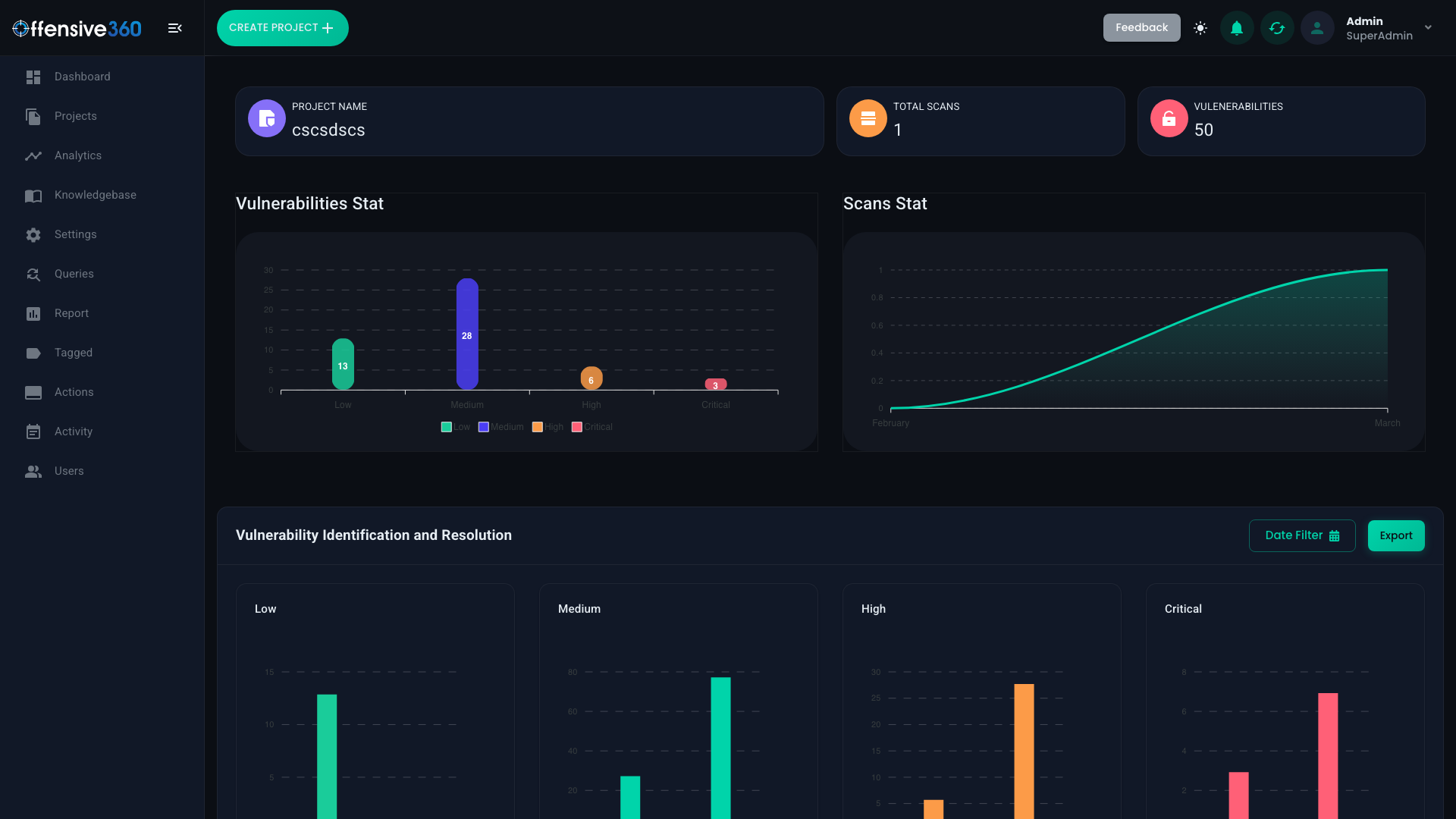
Vulnerability statistics and trend analysis
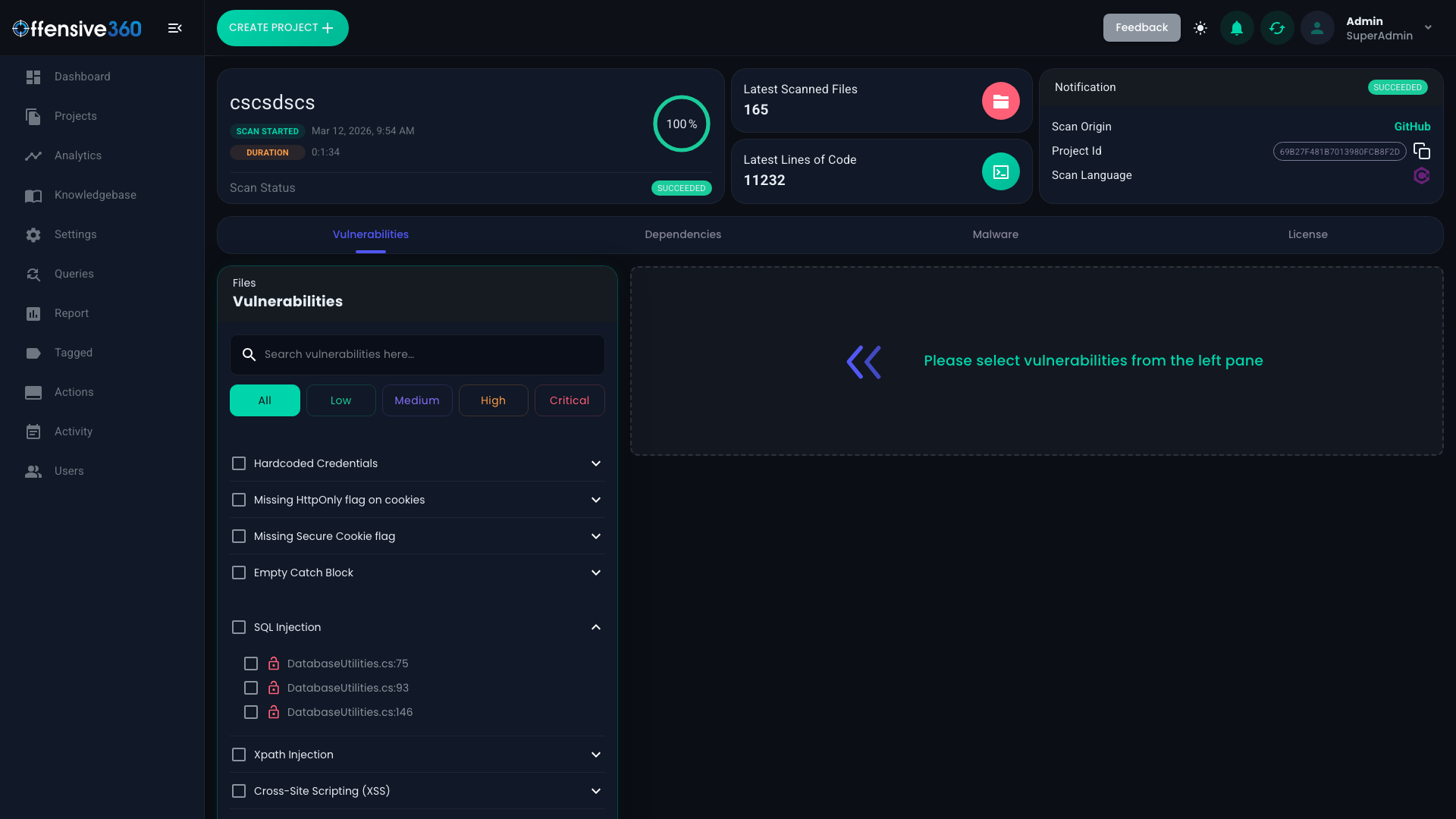
Detailed findings with code-level context
What we detect
Evaluate the applicable checks for these weakness classes using a representative project. Coverage and evidence vary by language and enabled analyzer.
Secure your AI-generated code
AI-generated changes need the same security review as human-written code. Check untrusted inputs, authorization decisions, dependencies and secrets before merging. Useful code can still contain a security weakness even when it passes functional tests.
Run supported source checks in your development workflow, inspect the reported evidence, and verify a contextual fix. For on-premise or offline use, agree the analyzer profile and optional provider connections before the evaluation.
See It Catch AI-Generated FlawsFrequently asked questions
What programming languages does Offensive360 SAST support?
Source analysis includes C#, Java, JavaScript and TypeScript, Python, PHP, Go, Ruby, Kotlin, Swift, Objective-C, Dart, C/C++, Apex and readable Oracle Forms/PL/SQL sources. Rules and framework handling depend on the installed release and enabled analyzers. Native analysis, optional AI assistance, dependency checks and mobile package analysis have separate coverage. Use the language scope reference or ask us to evaluate your project.
Is Offensive360 SAST free for open-source projects?
Yes. Public repositories on GitHub, GitLab, Bitbucket, or Codeberg can request a free scan token and run the full SAST engine from CI, including the offensive360/sast-scan-action GitHub Action with SARIF output for the code scanning tab. Tokens are valid 30 days and renewable on request. See offensive360.com/free-for-open-source for details.
How do developers and AI coding assistants use Offensive360 SAST?
Wherever code is written or merged. IDE plugins are available for VS Code, Visual Studio, IntelliJ, Android Studio and Eclipse. In CI, the offensive360/sast-scan-action GitHub Action runs a full scan and uploads SARIF to the code-scanning tab, and a GitLab CI template is included; Bitbucket, Azure DevOps, Jenkins and CircleCI are supported through the REST API and a built-in setup wizard. For AI coding assistants, the open-source Offensive360 MCP (Model Context Protocol) server lets any MCP-capable assistant scan a local project and read back findings with file, line, severity and a fix, so an assistant can scan, read the criticals, and start patching.
Can Offensive360 SAST find vulnerabilities in AI-generated code?
SAST can examine supported source code regardless of whether a person or an AI assistant wrote it. Review the reported evidence and test remediation in your application. A scan does not establish that every vulnerability has been found, and generated code needs the same authorization, dependency and runtime checks as other code.
Can Offensive360 SAST run offline or in an air-gapped environment?
Offline deployment is available with the configured analyzer profile and bundled components. Confirm the language engines, advisory snapshot, license requirements and update process for your release. Optional external AI providers and connected services require separate configuration; include these dependencies in your air-gap acceptance test.
How does Offensive360 SAST compare to Veracode, Checkmarx, or Snyk?
Compare the products on your own code and deployment requirements: supported file types and frameworks, findings and false positives, source evidence, integrations, offline behavior and operating cost. Ask for a scoped evaluation and a module-specific quote rather than relying on headline language counts.
Does Offensive360 provide remediation guidance, or just find vulnerabilities?
Findings can include code context and remediation guidance, and the developer knowledge base provides reviewed examples. Available evidence varies by analyzer and finding. Developers should confirm the affected path, adapt the fix to their framework and test it before deployment.
See it on your own code
Book a demo and we'll scan your project live - your first SAST report in minutes.